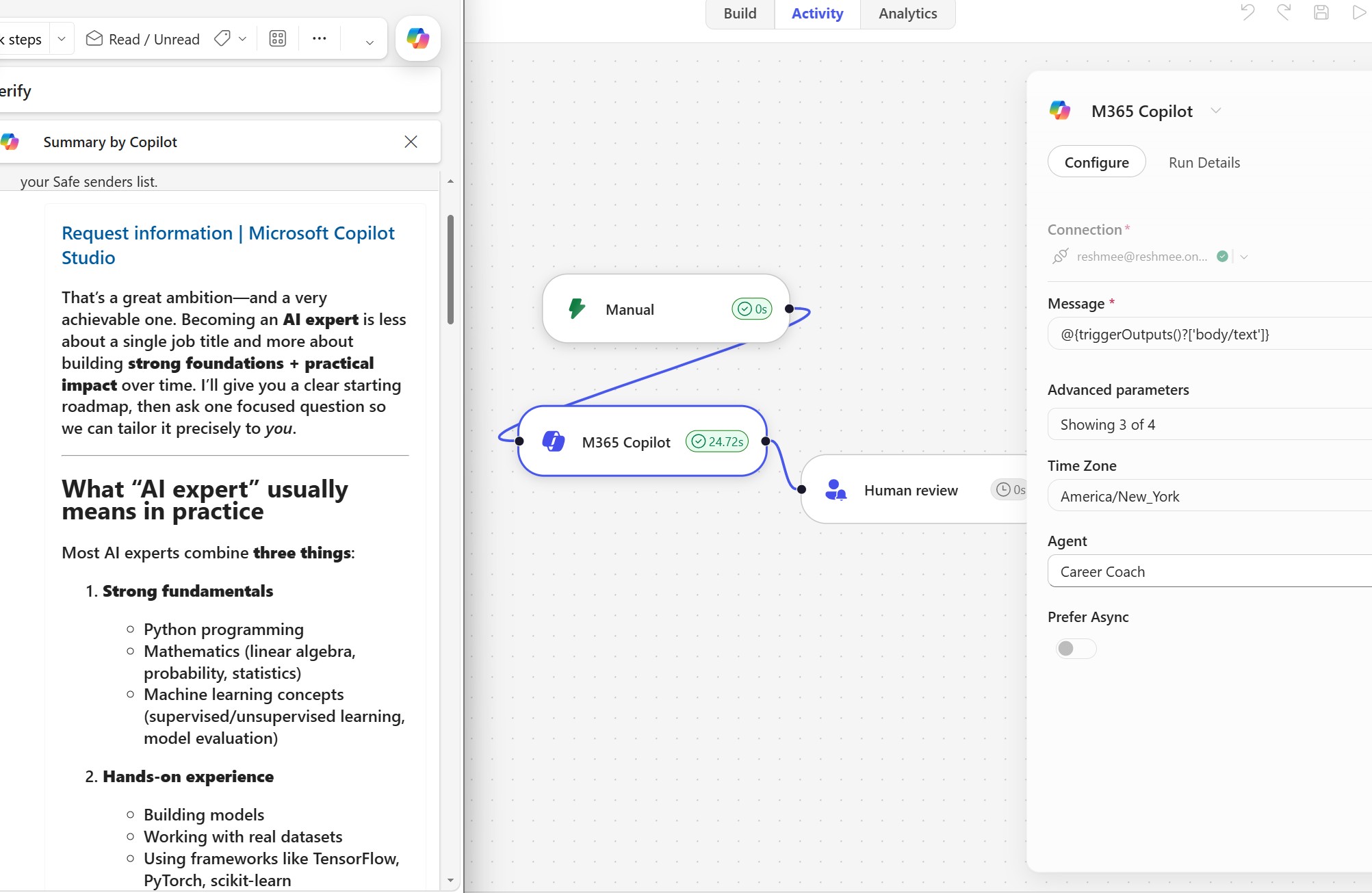
Invoke M365 Copilot Agents from Copilot Studio Workflows
Copilot Studio’s new agentic workflow is evolving fast, and it now makes it easy to combine automated flow orchestration with M365 Copilot agent execution.
If you have used Microsoft Foundry Workflow, the interface will feel familiar: a visual designer with triggers, actions, inline testing, flow notes, and governance hooks.
What’s new in Copilot Studio agentic workflows
- Version control with built-in version comparison
- Action-level testing without running the full flow
- One action to initialize multiple variables
- Create and invoke agents directly from the workflow designer
- Flow-level sticky notes for context and documentation
- Built-in classification, human review, prompt orchestration, and M365 Copilot integration
- Flexible layout switching between horizontal and vertical
- A
Tidybutton to reorganize the designer automatically - Easier disconnect/reconnect support for actions and connections
Invoking an M365 Copilot Declarative Agent
In this post I demonstrate how to invoke an M365 Copilot agent (a DeclarativeAgent) from a Copilot Studio workflow.
I created a Career Coach agent using Agent Builder, and it is available inside M365 Copilot chat.
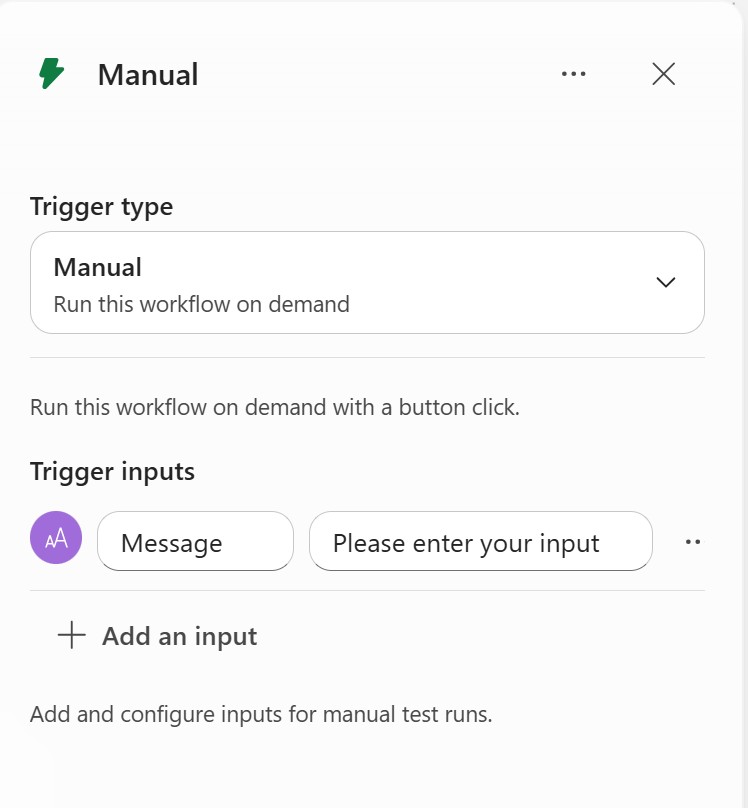
1. Add a manual trigger
Start with a manual trigger so you can test the workflow directly. Add an input parameter named message.
2. Add the M365 Copilot action
Add the M365 Copilot action and map the workflow message input to the action.
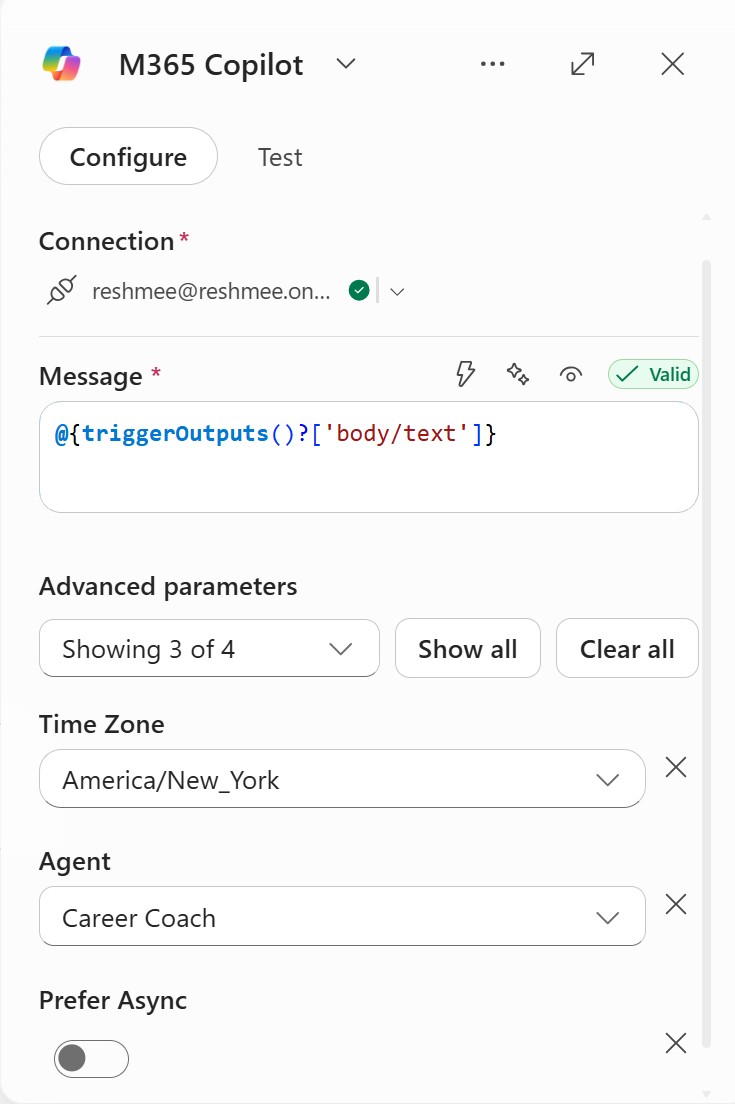
3. Choose async behavior
The Prefer Async option controls how the workflow continues:
- If enabled: the workflow submits the request and continues without blocking while Copilot processes the agent.
- If disabled: the workflow waits for the M365 Copilot agent to return a response before moving to the next action.
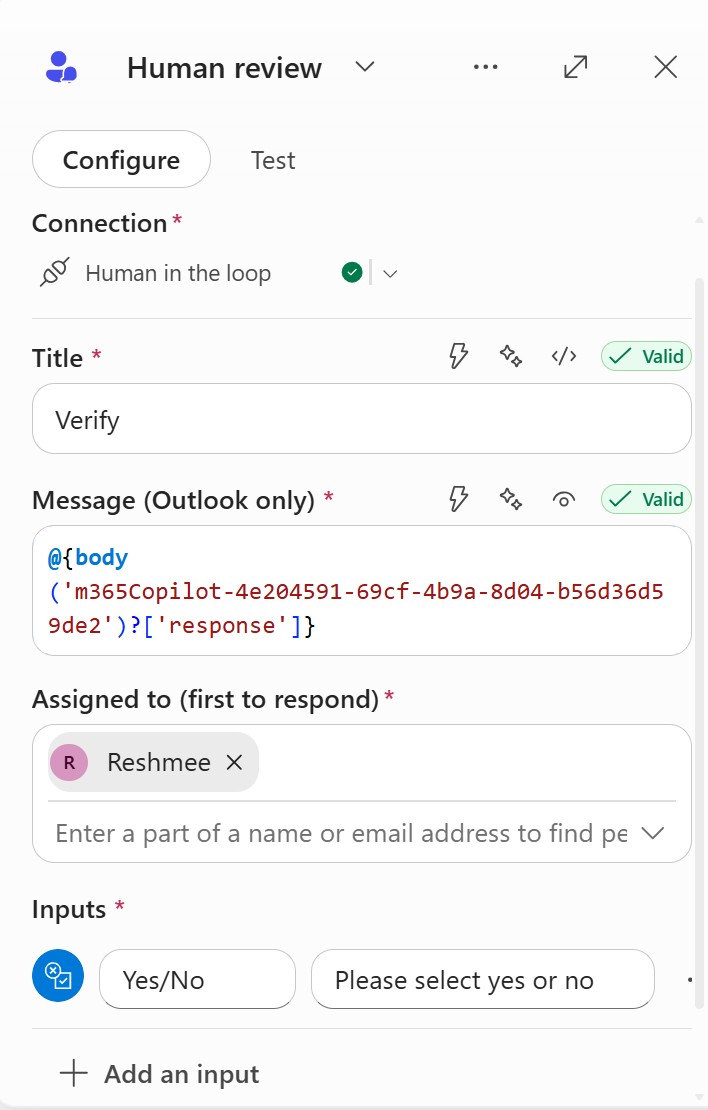
4. Add human review for governance
To add an approval checkpoint, insert a Human Review action. This sends an email to a reviewer and pauses the workflow until the review is completed.
5. Run a test query
Test the workflow using a prompt such as:
“How do I become an AI expert?”
The workflow sends the input to the Copilot agent, then routes the agent response through the Human Review action. The reviewer receives an email approval request before the workflow continues.
Why this matters
This pattern unlocks powerful enterprise scenarios by blending automation with oversight:
- Trigger specialized Copilot agents from workflows
- Orchestrate multi-agent business processes
- Add governance with human approval checkpoints
That means you can combine autonomous AI assistance with accountability in real business processes.