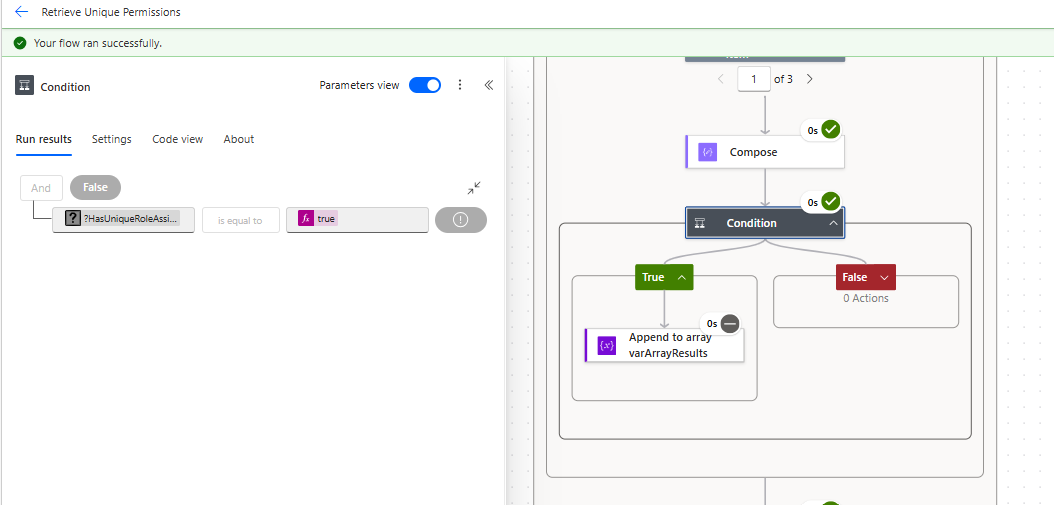
Power Automate: Fixing True/False Condition Errors
Problem
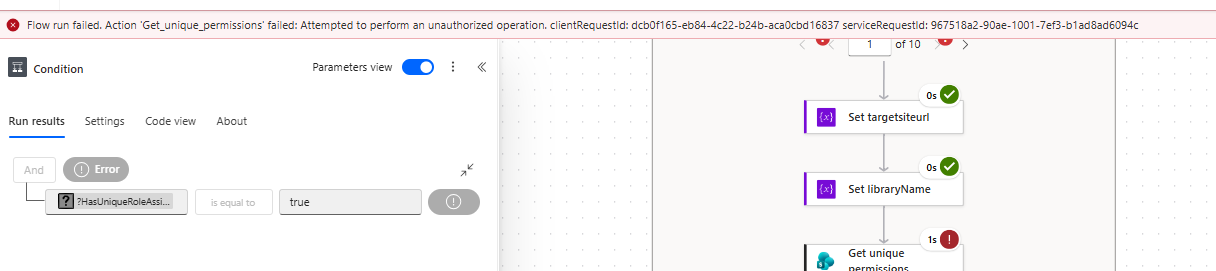
When a Power Automate flow uses a condition that evaluates to true, the flow may fail unexpectedly if the condition is not configured correctly in the new designer.
Cause
This issue often happens when the condition expression is not set up using the correct syntax or when the visual condition builder is unable to interpret the value as a Boolean.
Fix
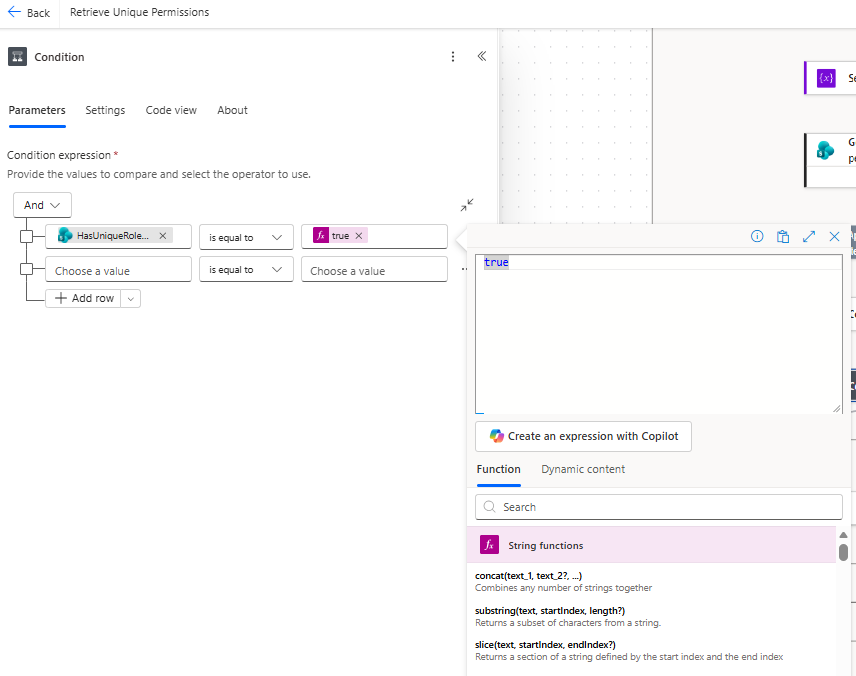
- In the condition action, switch to expression mode.
- Enter a valid expression that returns
trueexplicitly. - Save the condition and test the flow again.
Alternative: Use the classic designer
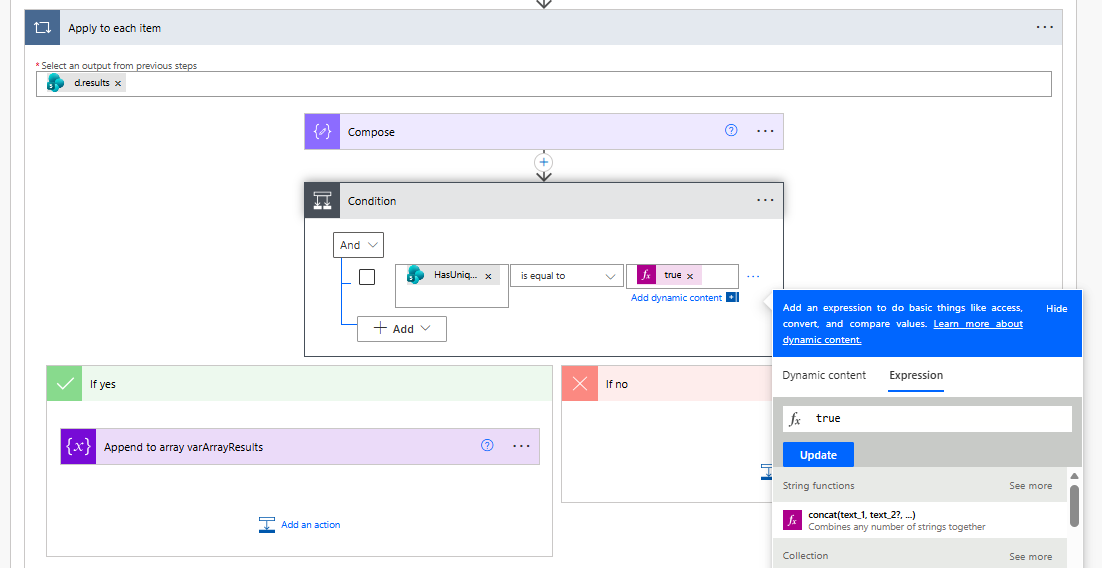
If the new designer does not accept the expression, try opening the flow in the classic designer and configuring the condition there.
Result
When the condition is configured correctly, the flow should run successfully and the true branch will execute as expected.