Power Automate: Check SharePoint File-Level Unique Permissions
Overview
Use Power Automate to detect SharePoint files with file-level unique permissions by checking the HasUniqueRoleAssignments property on list items.
REST API query
Use the SharePoint REST endpoint to query items and include the fields needed for permissions evaluation.
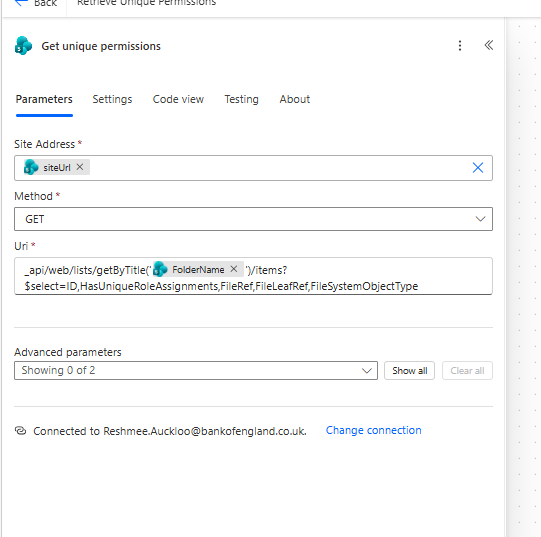
_api/web/lists/getByTitle('@{item()?['FolderName']}')/items?$select=ID,HasUniqueRoleAssignments,FileRef,FileLeafRef,FileSystemObjectType
- Method:
GET - SiteAddress: your SharePoint site
Process each item
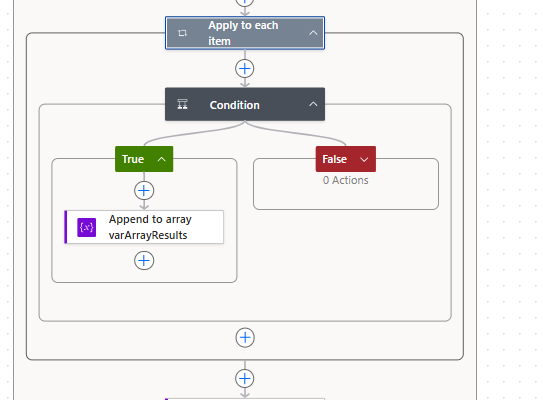
Add an Apply to each action to iterate the results from the REST call.
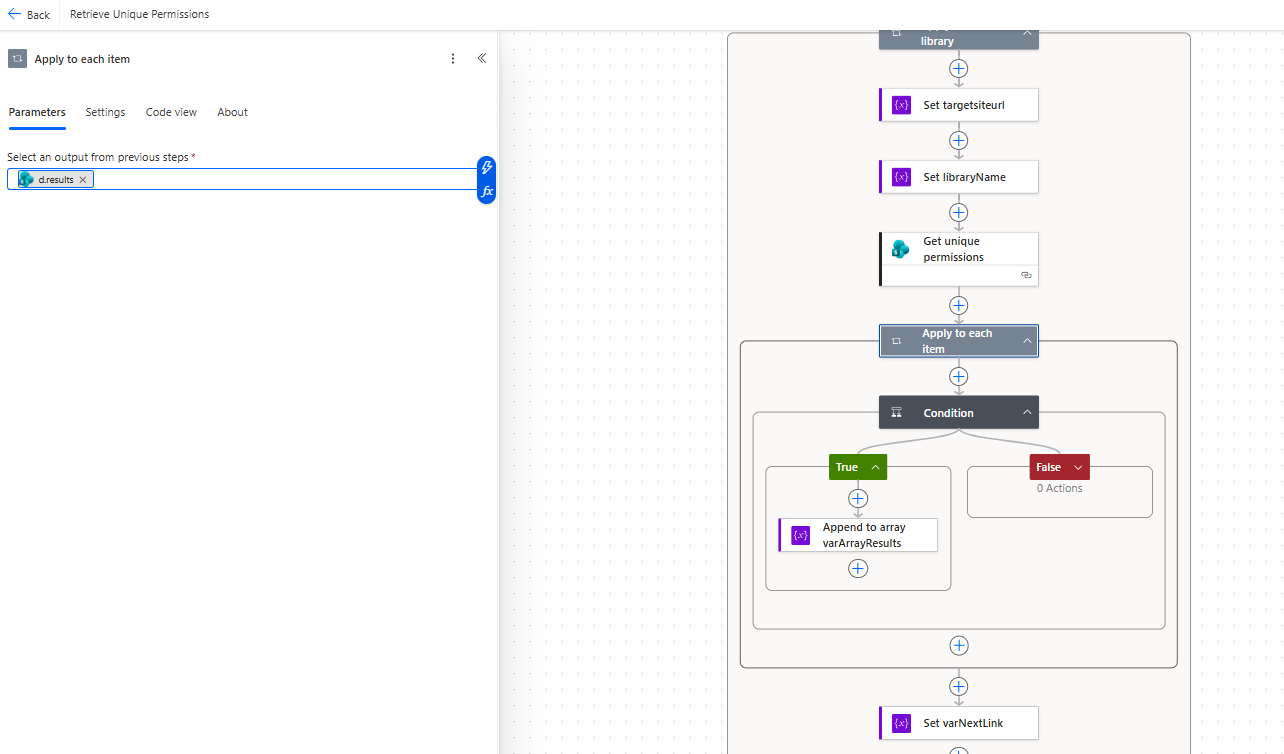
Set the input to:
@{body('Get_unique_permissions')?['d']['results']}
Check unique permissions
Add a Condition action inside the loop and test whether the item has unique permissions.
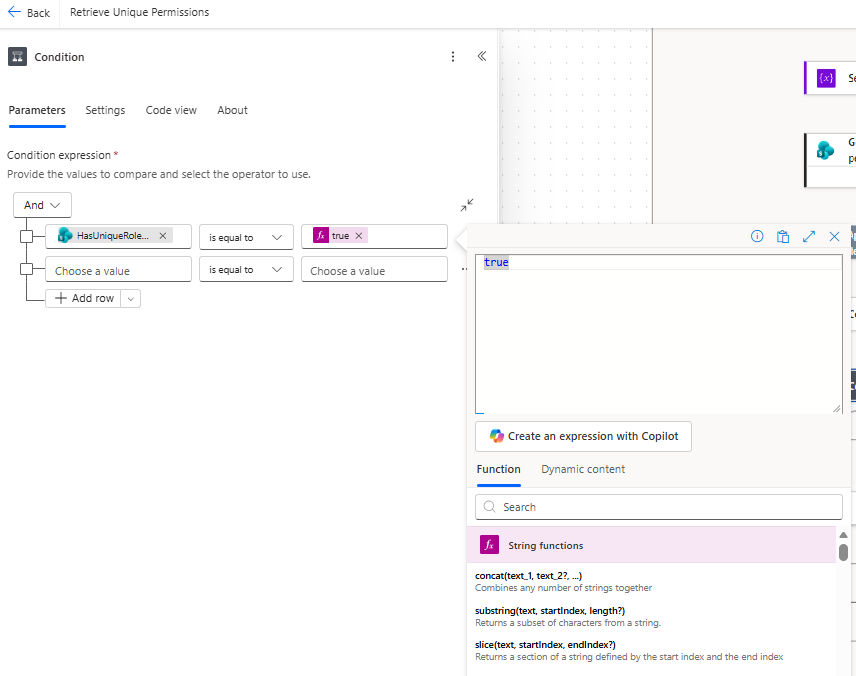
Use this expression:
@{item()?['HasUniqueRoleAssignments']} is equal to 'true'
If the condition is true, the file has unique permissions at the item level and can be handled accordingly in your flow.