SharePoint Skills in action
It was a privilege to be able to attend the M365 Conference in Orlando from 21st to 23rd April 2026. At the conference, one announcement that stood out was Skills in SharePoint, now in preview.
What is a SharePoint Skill?
SharePoint Skills are reusable, AI-powered workflows that encode business logic in natural language, native to SharePoint. Think of them as the difference between asking a question and capturing a repeatable process.
| What Can It Do? | Analyze content, update metadata, apply business rules |
| Why It Matters | Capture expertise, reduce manual effort, scale knowledge |
| Why Admins Care | Stored in Agent Assets, governable & versionable, permissions-aware |
Prompts answer questions. Skills capture process and expertise.
Prerequisites
Before testing, I checked the following:
- M365 Copilot license
- AI in SharePoint enabled (previously known as Knowledge Agent) through PowerShell
- Agent feature enabled

Baseline test without a skill
I started with the out-of-the-box AI experience using AI in SharePoint > Ask a question.
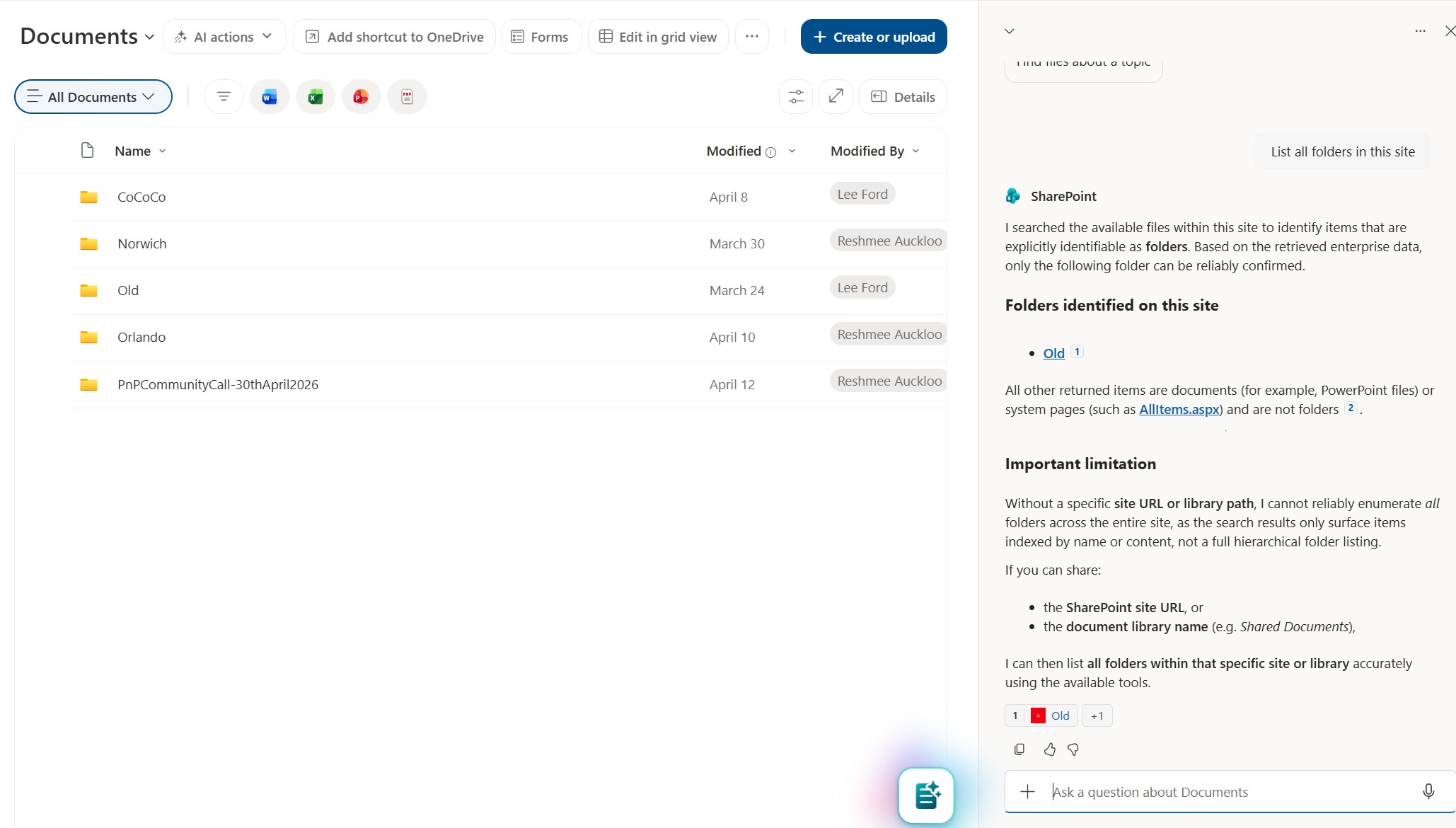
Question used: “list folders in this site”
The answer was incomplete. It returned only one folder, even though the site had multiple folders.
Creating a custom skill
I then asked AI in SharePoint to generate a skill. This created a skill.md file in the Agent Assets library using the prompt below:
Create a skill to highlight folders created in the site and list the folders with who created them. Exclude Document Sets from the list.
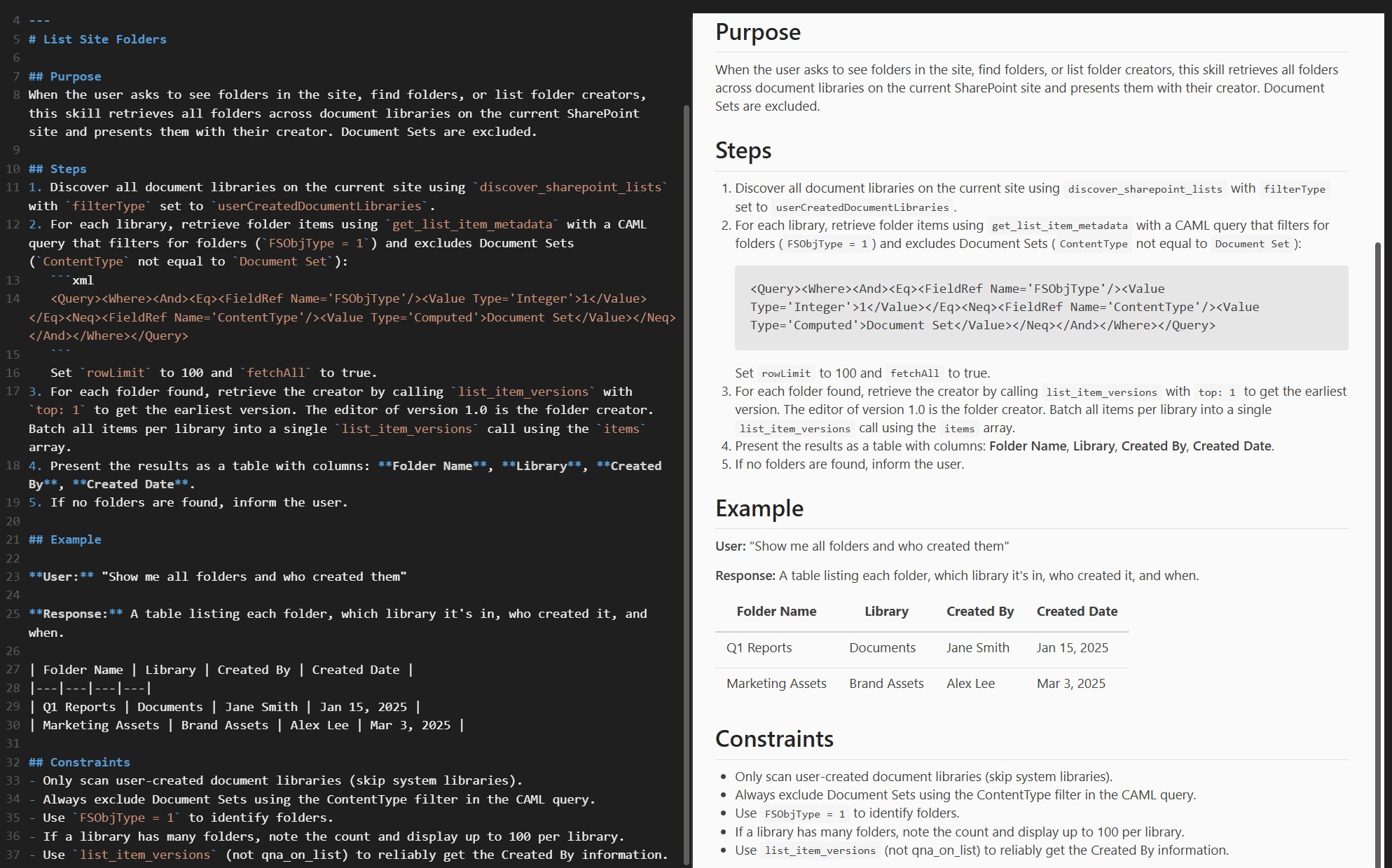
What impressed me most was the generated logic and references (including CAML-style thinking), similar to how I would approach this programmatically.
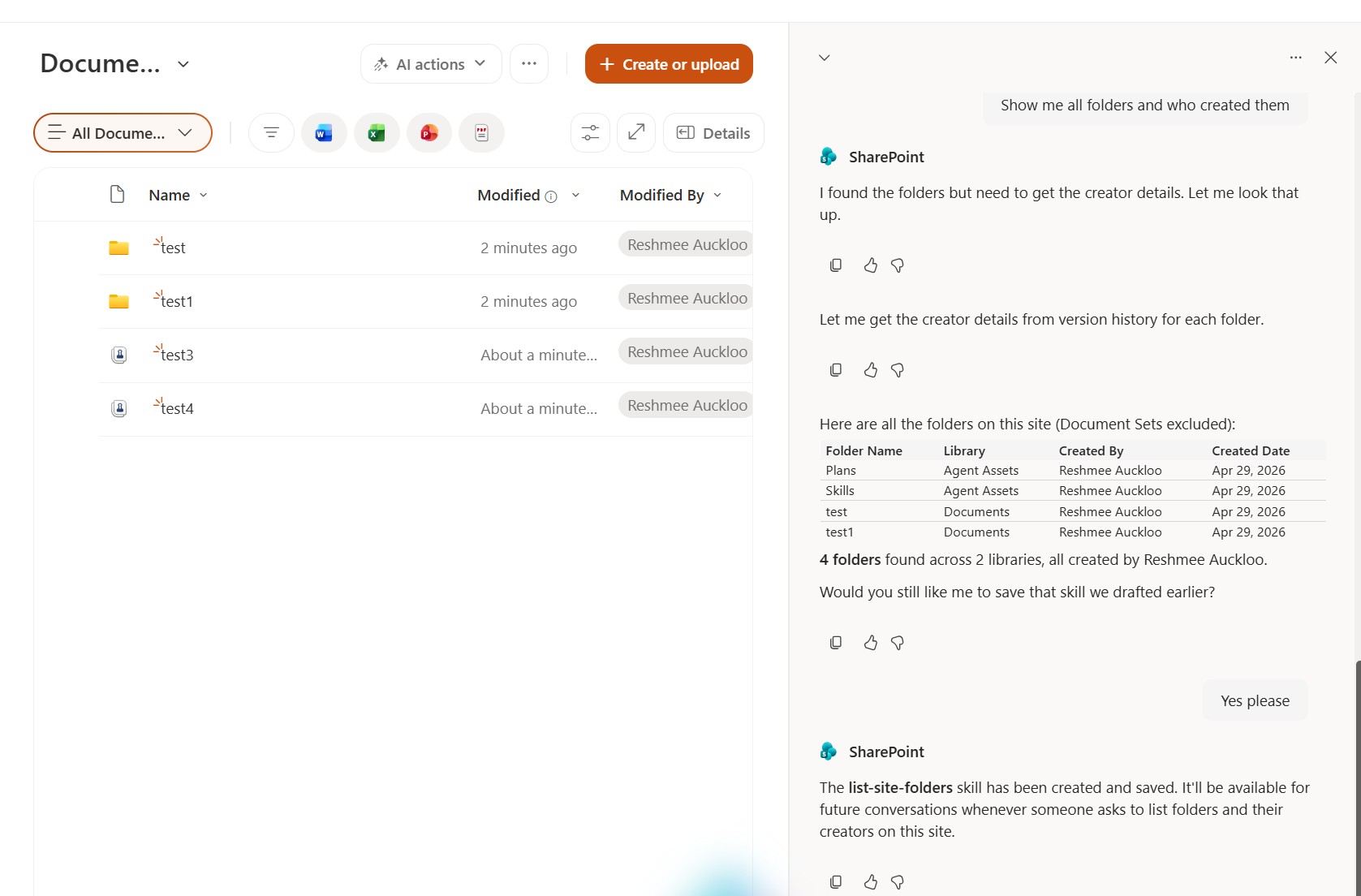
Result with the skill
After testing the generated skill, the output was accurate: it listed the correct folders and excluded Document Sets. Behind the scenes it is hooked up to engines which could run CAML query against sites which is impressive.
---
name: "list-site-folders"
description: "Lists all folders across document libraries in the current SharePoint site, showing who created each folder and when. Excludes Document Sets from the results. Use when the user asks to see folders, find folders, or list folder creators."
---
# List Site Folders

## Purpose
When the user asks to see folders in the site, find folders, or list folder creators, this skill retrieves all folders across document libraries on the current SharePoint site and presents them with their creator. Document Sets are excluded.

## Steps
1. Discover all document libraries on the current site using `discover_sharepoint_lists` with `filterType` set to `userCreatedDocumentLibraries`.
2. For each library, retrieve folder items using `get_list_item_metadata` with a CAML query that filters for folders (`FSObjType = 1`) and excludes Document Sets (`ContentType` not equal to `Document Set`):

   <Query><Where><And><Eq><FieldRef Name='FSObjType'/><Value Type='Integer'>1</Value></Eq><Neq><FieldRef Name='ContentType'/><Value Type='Computed'>Document Set</Value></Neq></And></Where></Query>

   Set `rowLimit` to 100 and `fetchAll` to true.
3. For each folder found, retrieve the creator by calling `list_item_versions` with `top: 1` to get the earliest version. The editor of version 1.0 is the folder creator. Batch all items per library into a single `list_item_versions` call using the `items` array.
4. Present the results as a table with columns: **Folder Name**, **Library**, **Created By**, **Created Date**.
5. If no folders are found, inform the user.

## Example

**User:** "Show me all folders and who created them"

**Response:** A table listing each folder, which library it's in, who created it, and when.

| Folder Name | Library | Created By | Created Date |
|---|---|---|---|
| Q1 Reports | Documents | Jane Smith | Jan 15, 2025 |
| Marketing Assets | Brand Assets | Alex Lee | Mar 3, 2025 |

## Constraints
- Only scan user-created document libraries (skip system libraries).
- Always exclude Document Sets using the ContentType filter in the CAML query.
- Use `FSObjType = 1` to identify folders.
- If a library has many folders, note the count and display up to 100 per library.
- Use `list_item_versions` (not qna_on_list) to reliably get the Created By information.
Gotchas
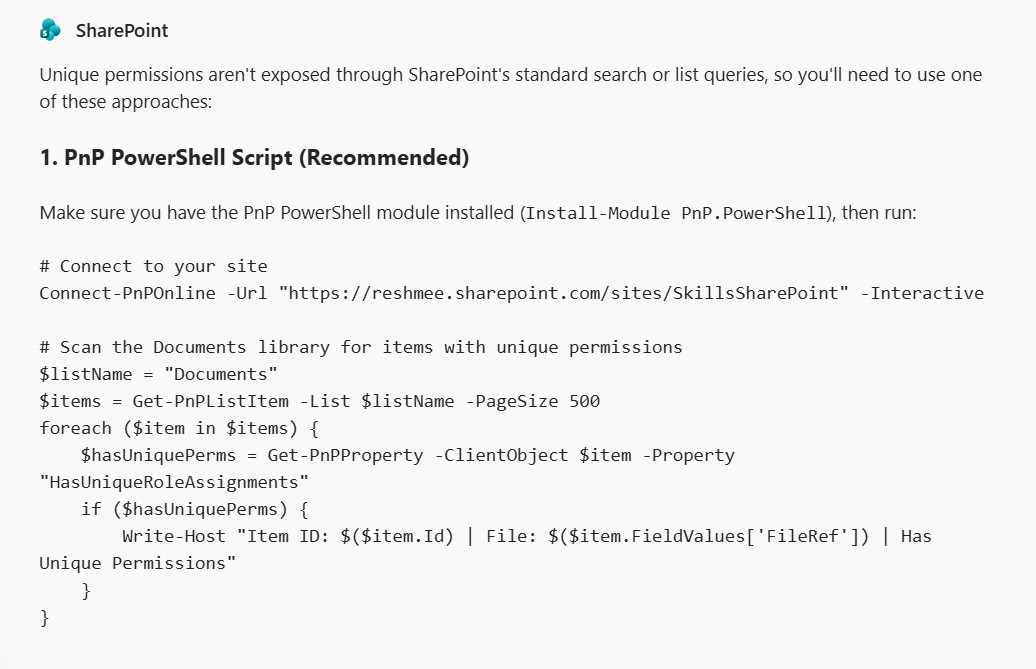
- Anyone with
Editrights can create skills and may lead to skills sprawl on the site with conflicting or duplicate skills - Does not support running any scripting yet to achieve anything other than
Conclusion
Skills in SharePoint unlock a more powerful layer than standard out-of-the-box AI prompts for targeted business scenarios.
This is still early, and questions around governance and guardrails are valid. But based on this test, the capability is promising and practical for real site-level use cases.
References
Extend AI in SharePoint with skills