Create a library from Out-of-the-Box (OOB) library template with PnP PowerShell
Overview
This post demonstrates how to create a SharePoint library using an out-of-the-box (OOB) list design via the Site Script ApplyListDesign REST API and how to call it from PnP PowerShell.
While Invoke-PnPListDesign is useful for deploying custom list templates (see Custom document library template using PnP PowerShell), creating a library from an OOB list design requires calling the ApplyListDesign() REST endpoint.
How it works (high-level)
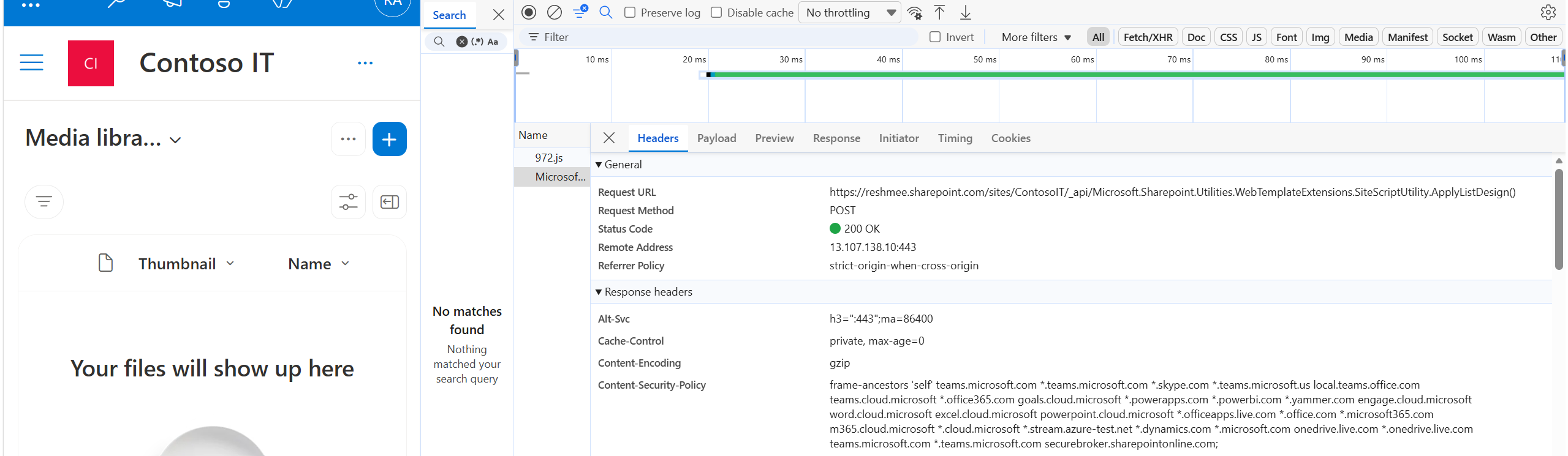
- The front-end calls the REST endpoint:
_api/Microsoft.Sharepoint.Utilities.WebTemplateExtensions.SiteScriptUtility.ApplyListDesign(). - The request body includes
listDesignId,store, andruntimeParametersto populate template values (for example, the library name). - We replicate that same call from REST API using
Invoke-PnPSPRestMethod.
Example: create a Media Library
The following example creates a Media Library using the Media Library library design. Replace the variables to match your tenant and desired list name.
$SiteUrl     = "https://yourtenant.sharepoint.com/sites/YourSite"
$ClientId    = "<your-client-id>"   # Entra app client id or omit for interactive login
$Method      = "POST"
$Endpoint    = "_api/Microsoft.Sharepoint.Utilities.WebTemplateExtensions.SiteScriptUtility.ApplyListDesign()"

# The list design ID for the Media Library template (example)
$listDesignId = "7fdc8cba-3e07-4851-a7ac-b747040ff1ce"

# The runtime parameter name used by the template to set the list name
$listName_FieldValue = "MediaLibrary_listName"
$listName = "Media Lib"

# Build the body object. runtimeParameters must be a JSON string.
$BodyObject = @{
    listDesignId      = $listDesignId
    store             = 1
    runtimeParameters = "{`"$listName_FieldValue`":`"$listName`"}"
}

# Connect using PnP
Connect-PnPOnline -Url $SiteUrl -ClientId $ClientId -Interactive

$Uri = "$SiteUrl/$Endpoint"

# Call the REST endpoint using PnP helper
$Response = Invoke-PnPSPRestMethod -Method $Method -Url $Uri -Content $BodyObject

# Output the response for debugging
$Response | ConvertTo-Json -Depth 10
Response and validation
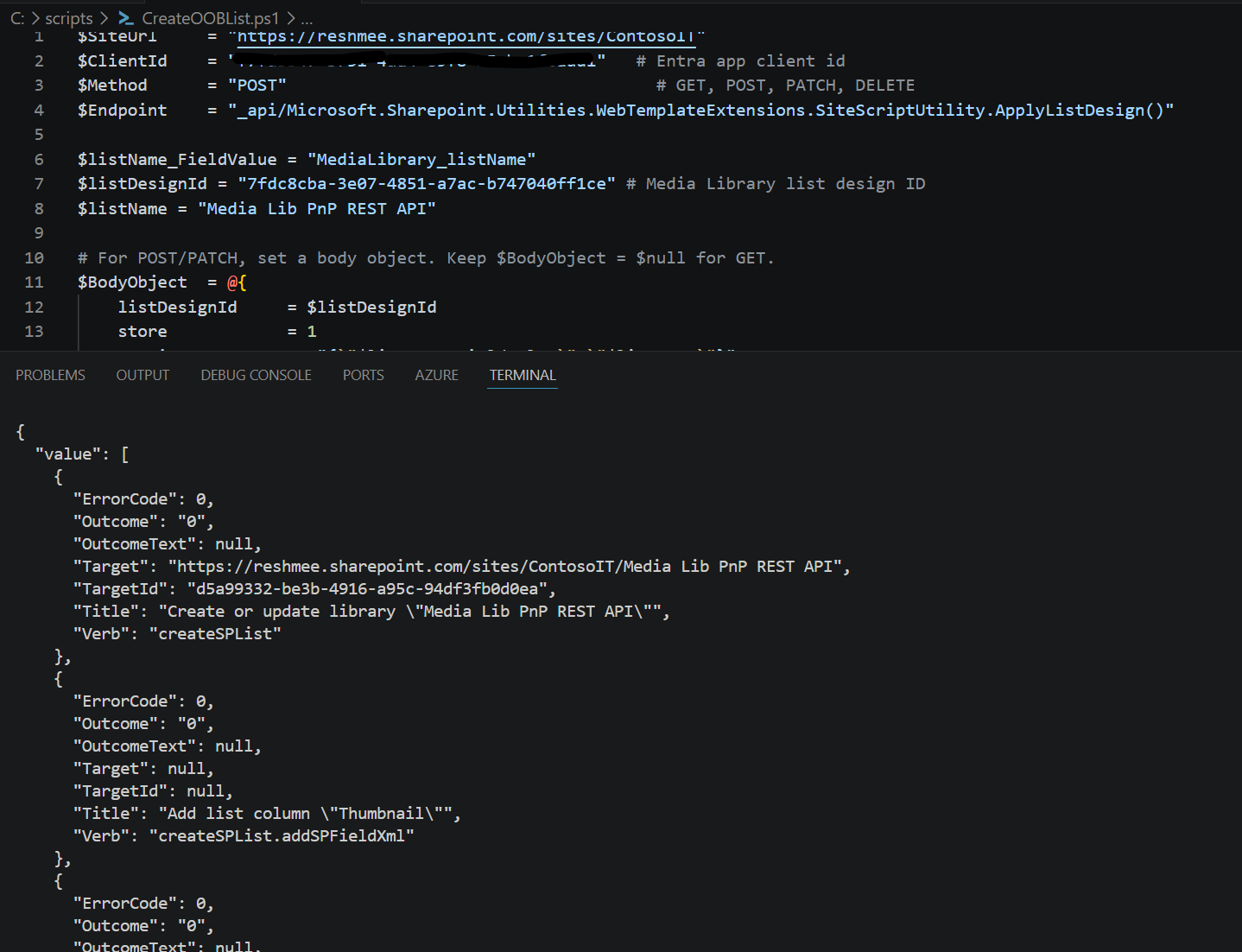
- The REST response contains the operation result; check it for errors.
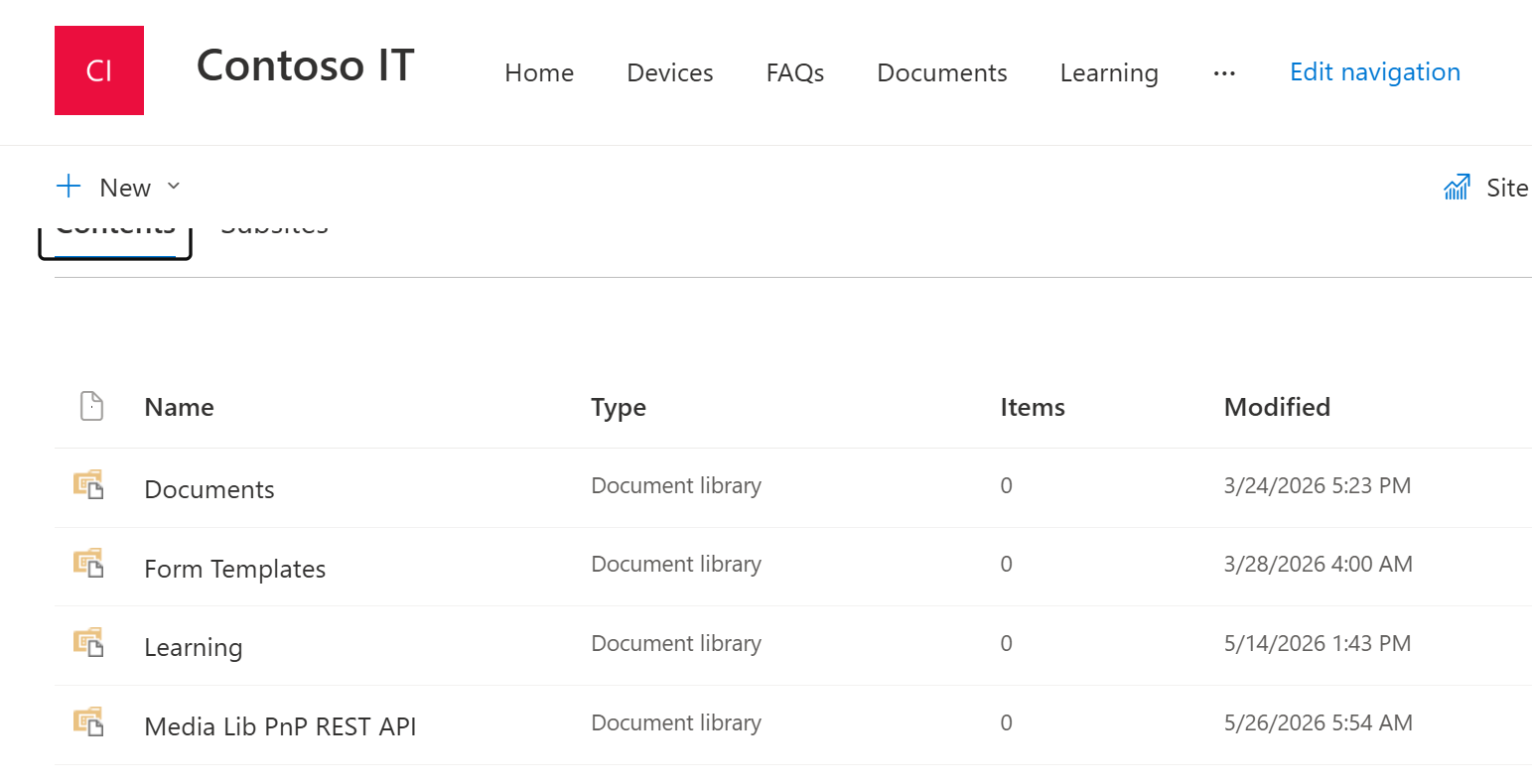
- Confirm the library appears in the site contents or browse to the library URL.
Example output (PowerShell)
Example UI result
Notes and troubleshooting
- Replace
$ClientIdwith your Azure AD application ID, or omit the-ClientIdparameter for interactive login. runtimeParametersis a JSON string — ensure you escape quotes correctly when building it in PowerShell.- To find
listDesignIdvalues, inspect network calls while creating a library from the SharePoint UI, or query the list design catalog if available.