Remove a SharePoint list content type in Power Automate
This post explains how to remove a content type from a SharePoint list using the SharePoint REST API in Power Automate.
The example uses the HTTP action in Power Automate to:
- retrieve the content type ID for a list content type
- delete the content type from the list
Get the Content Type ID
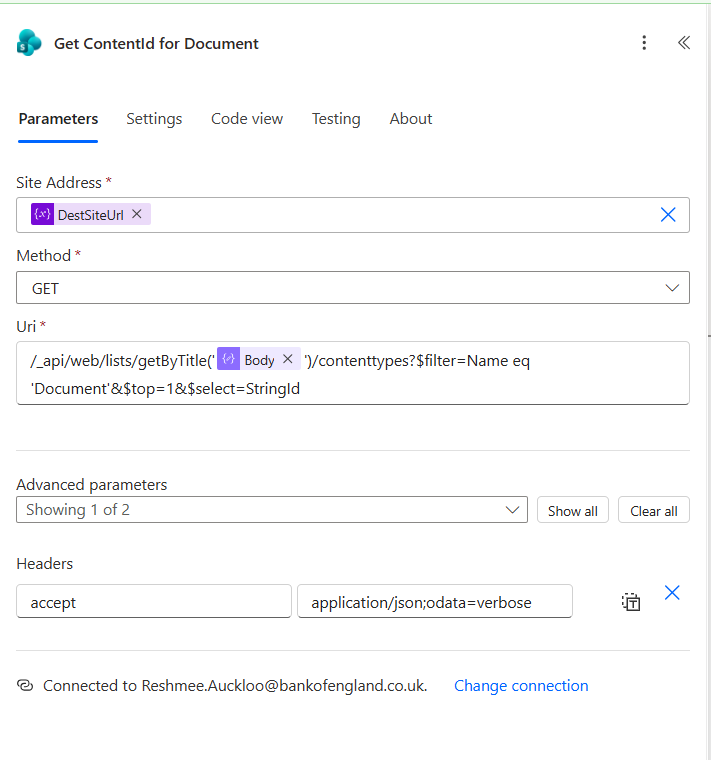
Use a GET request to query the list content types and return the StringId for the content type named Document.
Method: GET
Uri:
/_api/web/lists/getByTitle('@{outputs('Library_Display_Name')}')/contenttypes?$filter=Name eq 'Document'&$top=1&$select=StringId
Headers:
Accept: application/json;odata=verbose
Remove the content type from the list
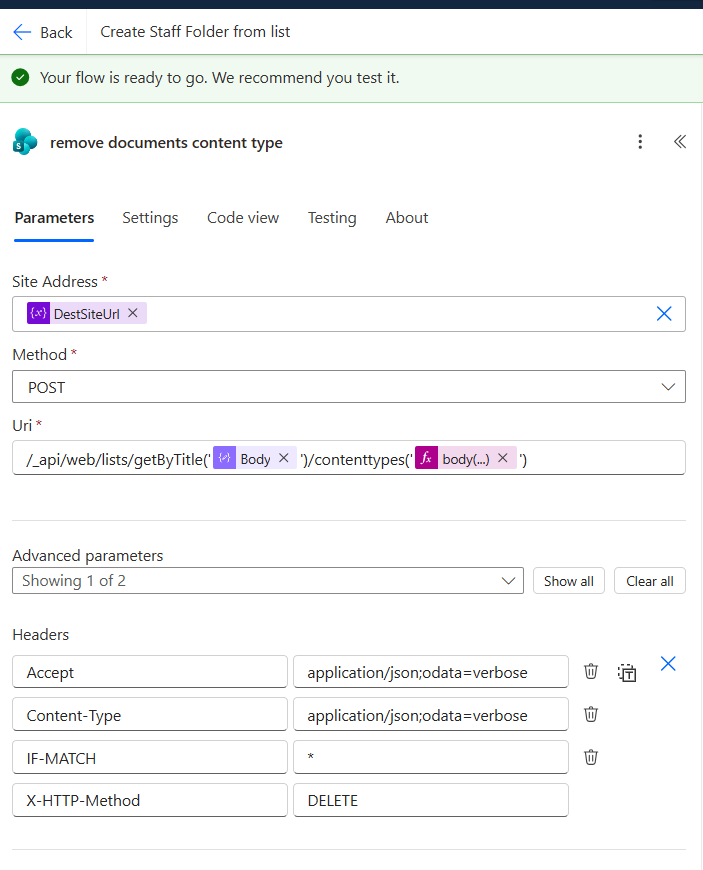
Once you have the content type ID, use a POST request with X-HTTP-Method: DELETE to remove it from the list.
Method: POST
Uri:
/_api/web/lists/getByTitle('@{outputs('Library_Display_Name')}')/contenttypes('@{body('Get_ContentId_for_Document')?['d']['results'][0]['StringId']}')
Headers:
Accept: application/json;odata=verboseContent-Type: application/json;odata=verboseIF-MATCH: *X-HTTP-Method: DELETE
Notes
- Use the list title from the
Library_Display_Namevariable. - If the content type is still in use by items in the list, deletion may fail.
IF-MATCH: *ensures the request will delete the current content type regardless of its ETag.